
GraphQL step definitions
For more information about GraphQL queries and mutations execution refer to Automated Test Platform - User guide - Executing GraphQL queries & mutations ( Extensibility)
The following step definitions are available to execute GraphQL queries and mutations.
the user opens the application on a desktop using the following link: "(.*)"
the user writes "(.*)" GraphQL request
the user clicks the "(.*)" button in the GraphQL page header
the "(.*)" GraphQL response is valid
the user selects the "(.*)" GraphQL property
the user stores the selected GraphQL property with the key: "(.*)"
the selected GraphQL property value is '(.*)'
the selected GraphQL property value is not '(.*)'
the selected GraphQL property value contains '(.*)'
the selected GraphQL property value is
"""
"""
the selected GraphQL property value is not
"""
"""
the selected GraphQL property value contains
"""
"""
the selected GraphQL property value does not contain '(.*)'
the selected GraphQL property value does not contain
the user attaches the actual GraphQL response to allure report
the number of '(.*)' in the selected GraphQL property is '(.*)'
the user clicks the "(.*)" tab in the GraphQL page
the user writes the GraphQL headers
the user writes the GraphQL variables
the user writes "(.*)" GraphQL headers
the user writes "(.*)" GraphQL variables
Examples
Extract from sample: 0402B-gql-query-read-customer
Feature: 0402B-gql-query-read-customer
Scenario: Login scenario and connect
Given the user is logged into Sage X3 with "param:loginType" using user name "param:loginUserName" and password param:loginPassword"
And the user changes the main language code to "en-US"
When the user selects the "param:endPointName1" entry on endpoint panel
Then the "param:endPointName1" endpoint is selected
#Redirection to the GraphQL API page
And the user opens the application on a desktop using the following link: "/xtrem/explorer/"
Scenario: Load query request: Read customer NA001
#Write the query into the GraphQL API Page
When the user writes "./0402B-gql- query-read-customer-request.graphql" GraphQL request
#Execute the query
And the user clicks the "Run" button in the GraphQL page header
Scenario: Validate GraphQL response
#Validate the response by comparing the expected response with the actual response from Sage X3.
Then the "./0402B-gql- query-read-customer-response.json" GraphQL response is valid
Scenario: Get and Control GraphQL response Property
#Verify elements of the response
When the user selects the "data.x3MasterData.customer.query.edges[1].node" GraphQL property
Then the selected GraphQL property value is
"""
{
"_id": "NA001",
"code": {
"code": "NA001"
},
"companyNames": {
"query": {
"edges": [
{
"node": {
"companyName": "International Distributors"
}
}
]
}
},
"shortCompanyName": "IntlDist",
"serviceContract": null
}
"""
Then the selected GraphQL property value contains
"""
"_id": "NA001"
"""
Scenario: Get and Check GraphQL single results Property value
When the user selects the "data.x3MasterData.customer.query.edges[1].node.companyNames.query.edges[1].node.companyName" GraphQL property
Then the selected GraphQL property value is "International Distributors"
Extract from sample: 0401A-gql-mutation-time-entry-creation
Feature: 0401A-gql-mutation-time-entry-creation
Scenario; Login scenario and connect
Given the user is logged into Sage X3 with "param:loginType" using user name "param:loginUserRootName" and password "param:loginUserRootPassword"
And the user changes the main language code to "en-US"
When the user selects the "param:endPointName1" entry on endpoint panel
Then the "param:endPointName1" endpoint is selected
#Redirection to the GraphQL API page
And the user opens the application on a desktop using the following link: "/xtrem/explorer/"
Scenario: Load mutation request: Create a time entry for ADMIN User / Project NA0131701000024
#Write the mutation into the GraphQL API page
When the user writes "./0401A-gql-mutation-time-entry-creation-request.graphql" GraphQL request
#Execute the mutation
And the user clicks the "Run" button in the GraphQL page header
Scenario: Attach GraphQL actual response
#Attach the actual response from Sage X3 to allure report
And the user attaches the actual GraphQL response to allure report
Scenario: Get and Control GraphQL response Property
#Verify the mutation returns the expected information
When the user selects the "extensions.diagnoses[1].message" GraphQL property
Then the selected GraphQL property value is not "Error">
Then the selected GraphQL property value is "Operation completed successfully."
Then the selected GraphQL property value contains "successfully"
Extract from sample: 0403A-gql-mutation-query-product-creation-read
Scenario: Load mutation request: Create a product
When the user writes "./0403A-gql-mutation-product-creation.graphql" GraphQL request
And the user clicks the "Run" button in the GraphQL page header
Scenario: Attach GraphQL actual response
And the user attaches the actual GraphQL response to allure report
#The reference of the item created is extracted from the Actual GraphQL response and save into a stored value
Scenario: Extract the product reference generated by X3
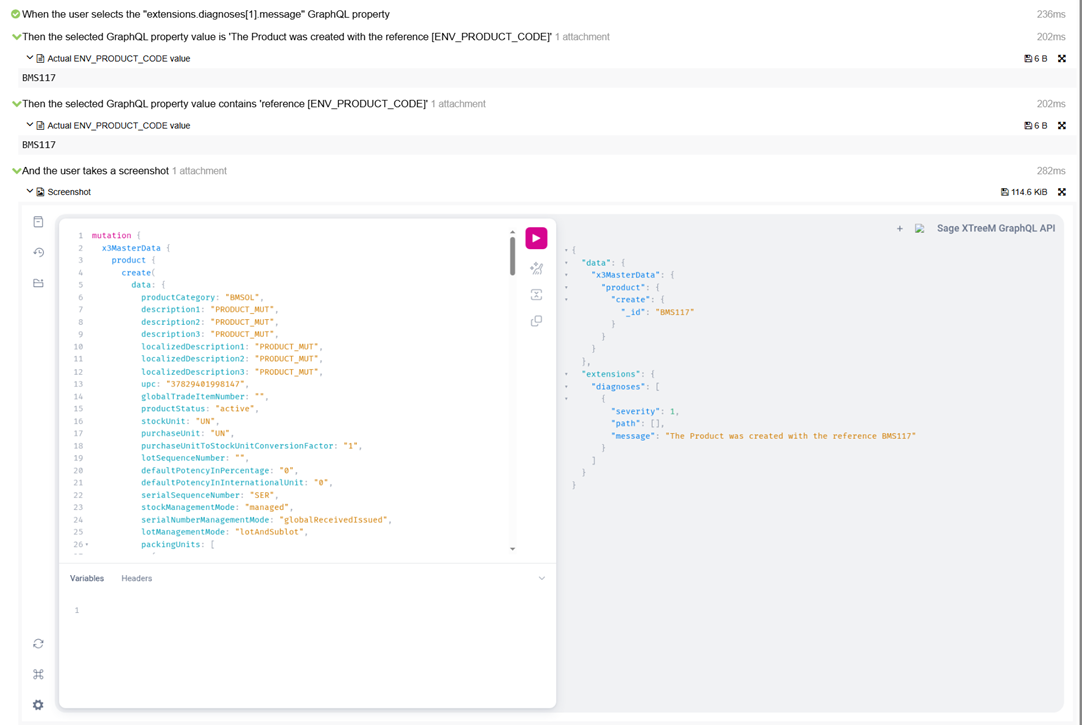
When the user selects the "data.x3MasterData.product.create._id" GraphQL property
Then the user stores the selected the GraphQL property with the key: "ENV_PRODUCT_CODE"
Scenario: Load request: Read the product created using the reference stored previously in [ENV_PRODUCT_CODE]
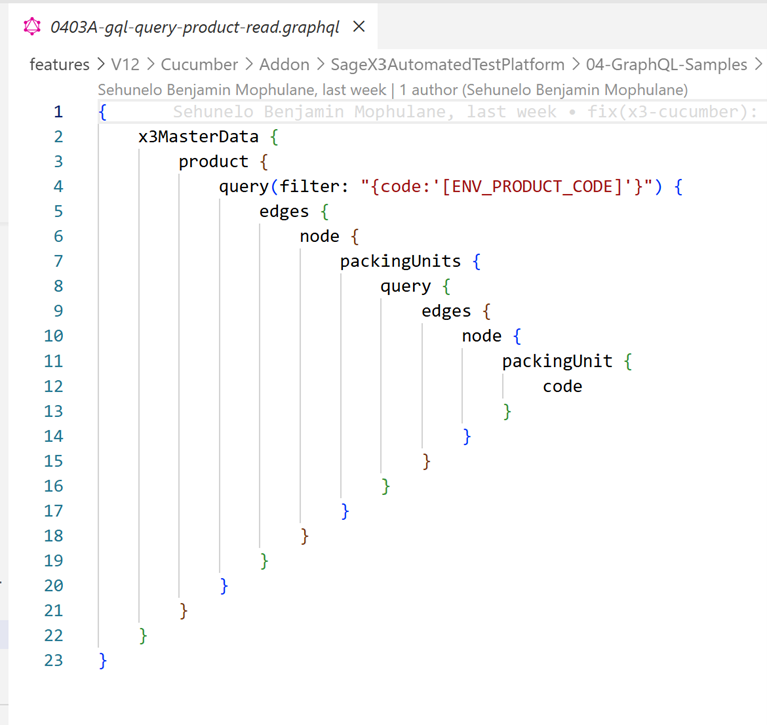
When the user writes "./0403A-gql-query-product-read.graphql" GraphQL request
And the user clicks the "Run" button in the GraphQL page header

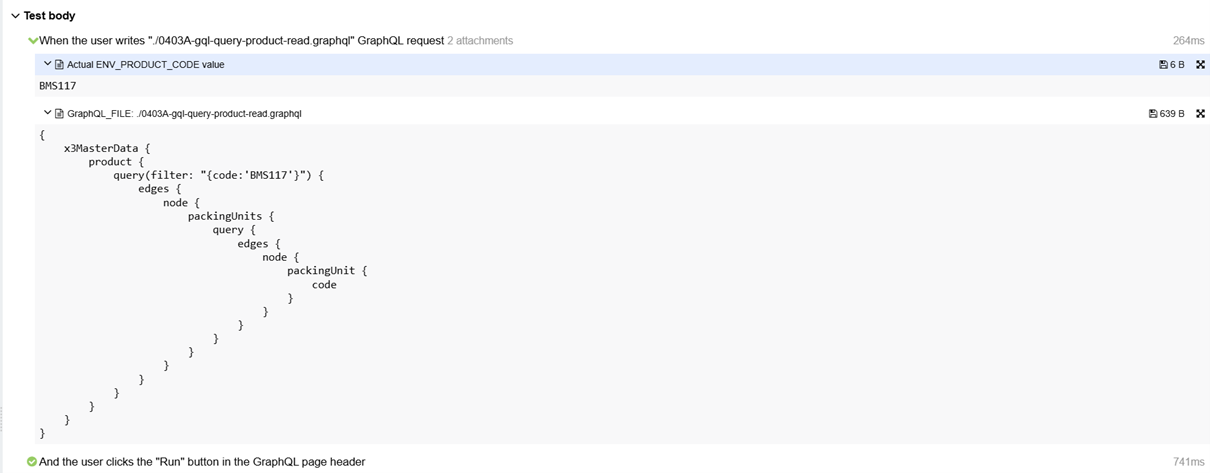
ATP is executing the following query and evaluate the stored value [ENV_PRODUCT_CODE] during the execution. The value evaluated is BMS117.
Scenario: Validate GraphQL response
Then the "./0403A-gql-query-product-read-response.json" GraphQL response is valid
Scenario: Control the number of packingUnits
When the user selects the "data.x3MasterData.product.query.edges[1].node.packingUnits.query.edges" GraphQL property
Then the number of "node" in the selected GraphQL property is "3"
Extract from sample: 0402A-gql-query-read-sales-quote
Scenario:Load query request: Read sales quote using GraphQL variable file and (user) stored values
When the user writes "./0402A-gql-query-read-sales-quote-request.graphql" GraphQL request
And the user clicks the "Variables" tab in the GraphQL page
And the user writes "./0402A-gql-query-read-sales-quote-variables.json" GraphQL variables
0402A-gql-query-read-sales-quote-variables.json contains
{
"filterStr": "{id: { _in: ['[USV_SALESQUOTES]']}}"
}
And the user clicks the "Run" button in the GraphQL page header
Then the "./0402A-gql-query-read-sales-quote-response.json" GraphQL response is valid
Scenario:Load query request: Read sales quote using graphql variable block of text and (user) stored values
When the user writes "./0402A-gql-query-read-sales-quote-request.graphql" GraphQL request
And the user clicks the "Variables" tab in the GraphQL page
And the user writes the GraphQL variables
"""
{
"filterStr": "{id: { _in: ['[USV_SALESQUOTES]']}}"
}
"""
And the user clicks the "Run" button in the GraphQL page header
Then the "./0402A-gql-query-read-sales-quote-response.json" GraphQL response is valid